Creating vanity EVM contract addresses with 'CREATE'
Vanity Contracts
Mining a vanity contract address is a different game to grinding a vanity EOA like in my profanity2 post — there’s no private key involved, just a salt, and the EVM gives you three different ways to turn that salt into a deployment address.
CREATE
The original opcode. The address is derived from the deployer’s address and its nonce:
address = keccak256(rlp([deployer, nonce]))[12:]Since the nonce increments with every transaction, this isn’t searchable for a ‘vanity’ address, but it’s deterministic since the address you’ll get is whatever falls out of your account’s address and nonce. If you already have a known ‘deployer’ address and didn’t want to change it, this can sometimes be useful to know what the addresses will be ahead of time.
CREATE2
EIP-1014 made addresses deterministic ahead of deployment, derived from the deployer, an arbitrary 32-byte salt, and the hash of the contract’s init code:
address = keccak256(0xff ++ deployer ++ salt ++ keccak256(initCode))[12:]Salt is a free parameter, so now we’re cooking. We can brute-force random salts with our known deployer address and initCode until the address matches what we’re looking for. The main drawback of CREATE2 is that the init code hash is baked into the derivation, so if we change either the contract bytecode or constructor arguments, our mined salt is worthless since it now derives a different address.
CREATE3
CREATE3 isn’t an EVM opcode, it’s a pattern — and it’s what tools like CreateX and createXcrunch actually mine for. A deterministic, minimal proxy is deployed via CREATE2 across most chains and testnets (see createx.rocks), and that deploys a factory which then deploys your contract via plain CREATE from itself, always at nonce 1. The final address ends up depending only on the deployer and the salt — the contract’s bytecode never enters the equation. This is good for if you want to deploy a lot of contracts from a singular address in the future (since it doesn’t care about bytecode), you just keep hold of the salts.
That’s the whole appeal: one mined salt gives you a vanity address you can deploy any contract to, redeploy a changed version of, or reuse identically across every chain (depending on your salt generated configuration, see below…).
createXcrunch
createXcrunch is a rust program used to find hex patterns from resulting addresses from mined salts. Recall that CREATE has an address and nonce as part of its salted generation of addresses, and that our factory we will deploy from CREATE3 will always ensure the nonce is 1 - so the only variable we will ever control is the deployer address. You may want to use an address that is based on some hardware wallet, or you may prefer to use another vanity address as the deployer (vanity on vanity, we got some iced out addresses). Once we have figured out what our deployer address is we can begin to mine salts for the ‘CREATE2’ portion of the address generation.
I do not have a desktop nor a GPU at my convenience, but if you do, then you can run these commands locally and generate the salts at only electricity cost. I didn’t bother testing if createXcrunch would work at a similar speed to profanity2 on my laptop, but that may be worth checking if you already have rust installed. Even mid-tier cards make 9-10 hex chars very reasonable, so I will need to hire out some GPU compute to speed this up for anything longer. The createXcrunch repo already has these steps, I will just be providing a more detailed walkthrough of those steps.
Vast.ai
Vast.ai seems to have the cheapest compute available, and it’s relatively easy to get started with.
- Create an account.
- Prefund some credits to your account (start small and deposit more if needed, $2 should be plenty and you can keep these credits for a later deploy or address if needed).
- If you have a general use SSH key you should upload the public key here so that we can later SSH into the server. This is important to do before initialising the server because if we do this after, it will not take effect.
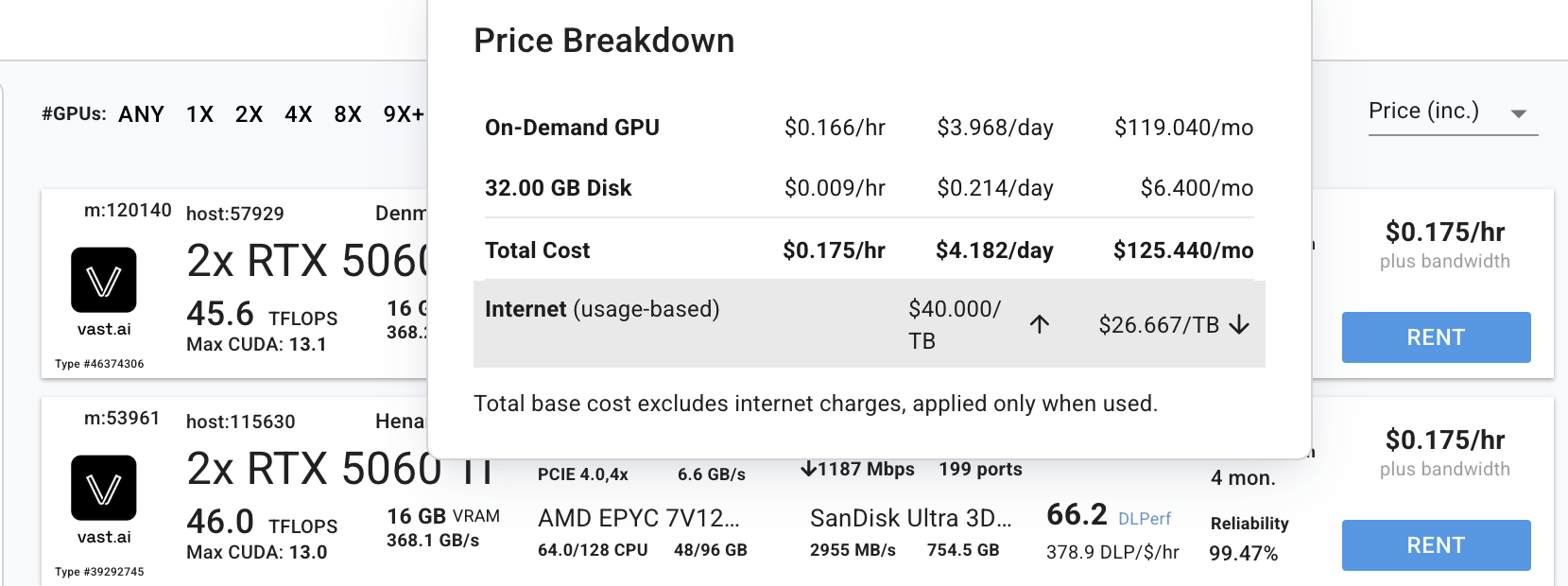
- We can browse GPU instances to rent. Make sure we are using the
On-Demandfilter, I tried to use the interruptible feature which is cheaper, but getting booted off the server because someone bid more money than you is annoying. You can use 2 GPUs too, which searches the space in half the time.
These are expected (mean) attempts — actual find time is random, so if your GPU benchmarks at, say, 1.4 GH/s, interpolate between the 1 and 2 GH/s columns.
| Prefix | Expected attempts | @ 100 MH/s | @ 500 MH/s | @ 1 GH/s | @ 2 GH/s | @ 3 GH/s |
|---|---|---|---|---|---|---|
| 7 chars | 268.4M | 2.7s | 0.5s | 0.3s | 0.1s | 0.1s |
| 8 chars | 4.29B | 42.9s | 8.6s | 4.3s | 2.1s | 1.4s |
| 9 chars | 68.72B | 11.5 min | 2.3 min | 1.1 min | 34.4s | 22.9s |
| 10 chars | 1.10T | 3.1 hr | 36.7 min | 18.3 min | 9.2 min | 6.1 min |
| 11 chars | 17.59T | 2.0 days | 9.8 hr | 4.9 hr | 2.4 hr | 1.6 hr |
| 12 chars | 281.47T | 32.6 days | 6.5 days | 3.3 days | 1.6 days | 1.1 days |
| 13 chars | 4503.60T | 1.4 yr | 104.2 days | 52.1 days | 26.1 days | 17.4 days |
A NVIDIA GeForce RTX 5060 Ti GPU achieves roughly 1.65 GH/s (doubling to ~3.30 GH/s for 2x GPUs), so if we ran it for an entire day we could expect to mine a single 12 leading zero address salt for around $4.20 (nice), or for the same compute, around 16 11-leading-zero salts.
- Press rent and wait for the instance to be created, it can take a minute.
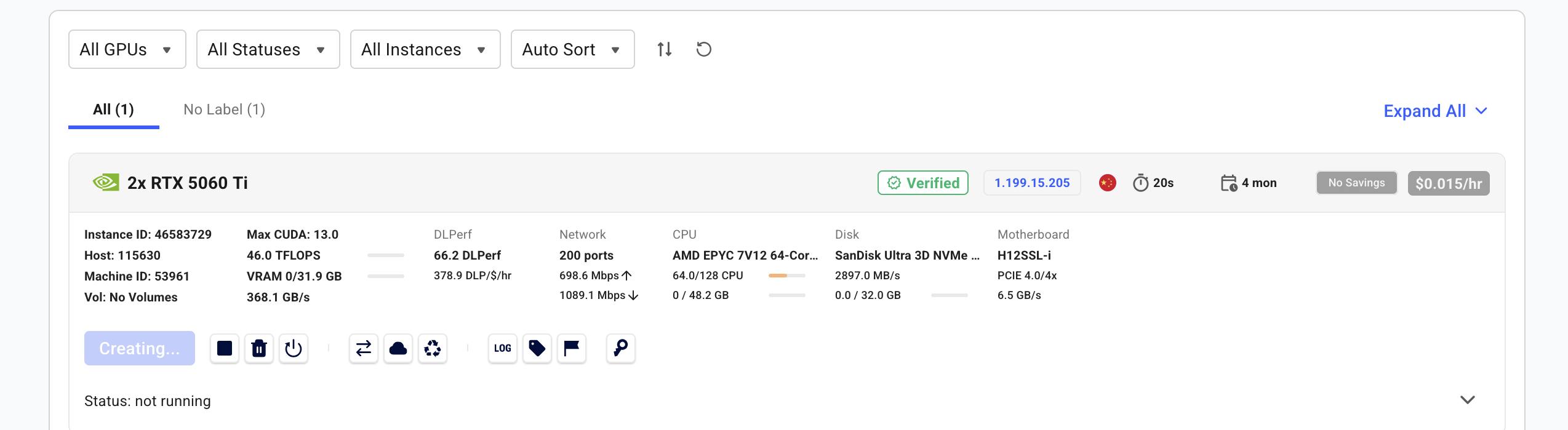
- Open the terminal connection button and copy the direct ssh connection url and connect via SSH.
- Once we’re in the server, it’ll open in
tmuxwhich is okay if you have one GPU, but I couldn’t get this working well with 2 GPUs (we need two consoles, and SSH’ing in again just attaches another window to the same tmux session instead of giving a separate one) - If you are running two GPUs run
touch ~/.no_auto_tmuxand then disconnect and reconnect and you’ll be in the plain shell. - I then got all of the commands that the createXcrunch repo had and made them automate the interactions, and ended up with this script which I just pasted into the server. It should only take a minute to finish.
export DEBIAN_FRONTEND=noninteractive NEEDRESTART_MODE=a
sudo -E apt-get update -y && \
sudo -E apt-get install -y build-essential && \
curl https://sh.rustup.rs -sSf | sh -s -- -y && \
source "$HOME/.cargo/env" && \
git clone https://github.com/HrikB/createXcrunch.git && \
cd createXcrunch && \
cargo build --release- We’re now inside the
createXcrunchdirectory with rust installed. So we can go ahead and run our mining commands now.
The help flag gets all commands and features available, in case leading zeros isn’t your use case.
./target/release/createxcrunch create3 --helpEnhanced background running task with file logging. Be aware your files are obviously destroyed when the GPU container instance is destroyed, so grab your salts before then.
nohup                                               ## Makes the process ignore SIGHUP, so it survives you disconnecting from SSH
./target/release/createxcrunch                      ## 	Runs the compiled GPU vanity-address miner binary
create3                                             ## For a CREATE3-style deployment
--caller 0x???                                      ## The address will be able to actually use the mined salt to deploy via CreateX
--crosschain 1                                      ## Mines with cross-chain redeploy protection baked in for chain ID 1 (ETH mainnet)
--matching 000000000000XXXXXXXXXXXXXXXXXXXXXXXXXXXX ## 11 leading hex zero target pattern for the final address (X wildcards)
-g 0                                                ## Binds to GPU device 0, to run a second copy on the second gpu use -g 1 for the other command.
-o gpu0.txt                                         ## File in same directory where any matching salt/address found gets written.
> gpu0.log 2>&1                                     ## Redirects normal output (>) into gpu0.log, then redirects error output (2>&1) into wherever stdout now points, instead of vanishing when there's no terminal attached.
&                                                   ## Backgrounds the whole process so you can exit the process
Confirm the process is alive after exiting
ps aux | grep createxcrunchConfirm the GPU is working
nvidia-smiWatch process live after exiting
tail -f gpu0.logIf you then plug your deployer private key and these salts into a custom CREATEX deploy script (fork mainnet and change the chainId to whatever you set), it’ll deploy to the address you mined. I don’t have a generic script for you to check this works, since it requires a large framework setup, but if you direct your agent of choice to do so, then you’ll see these contracts show up at those addresses.